The Secret Connection Between Map Health and Desktop Rank
I remember sitting at my desk three years ago, staring at a screen that just didn’t make sense. I had spent months tweaking my website, obsessing over backlinks, and polishing every meta description. Yet, when I searched for my own services from my laptop, I was nowhere to be found. Meanwhile, a local competitor with a website from 2005 was sitting comfortably in the top three. It felt personal. It felt like Google was playing favorites. But then, I stumbled upon a discrepancy in my address across three different platforms. I was suffering from poor map health, and I didn’t even know it was a thing. The moment I fixed that single data point, my desktop rank didn’t just move; it leaped. Today, I want to show you how your physical presence in the local ecosystem is the secret engine driving your traditional search rankings.
Why Your Physical Listing Is Secretly Powering Your Website Rank
For a long time, I treated my Google profile as an optional extra, like a cherry on top of my SEO cake. That was my first big mistake. I thought as long as my website was strong, the rest would follow. The reality is that Google uses your local profile as a verification layer for your entire brand. If your map health is flagging due to inconsistent hours or unverified data, it sends a signal of unreliability that poisons your desktop authority. It’s not just about appearing in the local pack; it’s about proving to the algorithm that you are a real, active entity in your community. When I finally started using a proper map optimization guide, the synergy between my local and organic traffic became undeniable. According to data from Search Engine Journal, local signals now represent a significant portion of the core ranking algorithm for businesses with a physical service area.
Does a Map Profile Actually Affect My Normal Website Ranking?
You might be skeptical. You might think that ‘Map SEO’ is just for coffee shops and plumbers. I used to think the same until I saw my own data flatline. The truth is, the ‘Map-to-Desktop’ pipeline is real. Have you ever noticed that after you update your photos or respond to a batch of reviews, your overall search impressions suddenly spike? That isn’t a coincidence. It’s the result of monitoring map health effectively. By treating your local listing as the foundation rather than an afterthought, you create a feedback loop of trust. In this guide, we are going to dive into the specific metrics that matter, starting with the one map health metric that most people ignore until it’s too late. Have you checked your local dashboard this week, or are you still wondering why your competitor’s ancient website is still outranking yours?
Find Where Your Profile is Leaking Leads
Stop looking at your dashboard and thinking everything is fine just because the green checkmark is there. Real local authority is built on the precision of your data, and most business owners are flying blind. When I first started auditing my own presence, I realized that monitoring map health isn’t just about avoiding a suspension; it is about finding the gaps where your competitors are stealing your traffic. You need to look at your listing like a detective. Is your business name exactly as it appears on your signage? Is your phone number a local line or a generic tracking number that Google might find suspicious? I used to use a high-tech tool for this, but honestly, you can learn how to audit your map health without expensive software simply by searching for your business in an incognito window from different parts of town.
Fix the Data Discrepancies That Confuse Google
I once worked with a local bakery that couldn’t crack the top 10 despite having 500 five-star reviews. We couldn’t figure it out until we noticed that their Facebook page listed ‘Suite B’ while their Google profile just said ‘Unit 2.’ It sounds like a tiny detail, but to an algorithm, those are two different locations. We sat down with a google listing checklist and spent four hours aligning every single mention of that address across the web. Within two weeks, their impressions doubled. That’s the power of consistency. It isn’t glamorous work, but it’s the bedrock of any map optimization guide that actually works. 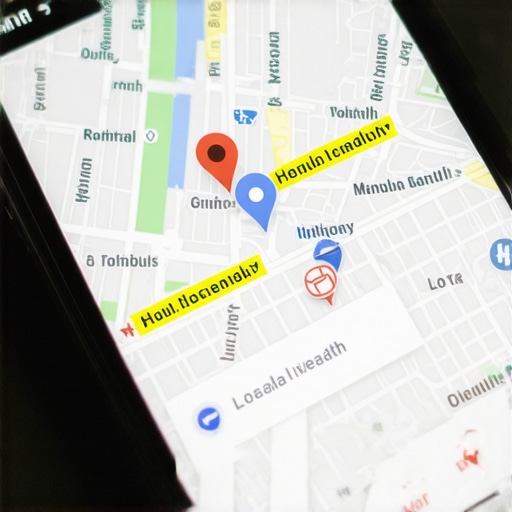
Turn Cold Interactions Into Ranking Signals
Most people think reviews are just for social proof. They are actually data mines for Google. When a customer mentions a specific service or a neighborhood in their review, and you respond by reinforcing those terms, you are feeding the algorithm exactly what it wants. But the real ‘secret sauce’ I discovered was the one setting in your profile that triggers a local rank jump: the ‘Attributes’ section. Most owners leave this blank. By checking boxes for ‘Identified as women-led’ or ‘Wheelchair accessible,’ you aren’t just being helpful; you are appearing in niche searches your competitors are missing entirely.
Take Control of Your Service Area Geometry
If you don’t have a physical storefront where customers visit, your ‘Service Area’ settings are your lifeline. I’ve seen businesses try to claim the entire state, thinking more area equals more leads. It actually does the opposite. Google dilutes your authority because it doesn’t believe a plumber in one city is actually serving a town four hours away. I found that tightening my radius and following a strict maps seo checklist for proximity actually expanded my reach. You want to be the king of your five-mile radius before you try to conquer the county. When you focus your optimization checklist on the areas you actually visit, your ‘Map Health’ score stabilizes because your data starts matching user behavior.Let’s dig deeper into the reality of local search because, frankly, most of what you hear in basic tutorials is only half the story. Everyone says you need more reviews, but in my experience, the total number of stars is often a vanity metric. If you have 500 reviews from three years ago and your competitor has 50 from the last two months, Google is going to favor the active business every single time. This is the concept of review velocity, and it is a major factor in monitoring map health. If you aren’t getting a steady drip of feedback, your profile looks dormant to the algorithm.
The Dangerous Temptation of Keyword Stuffing
The biggest ‘oops’ factor I see with advanced users is the urge to ‘optimize’ their business name by adding keywords like ‘Best Emergency Plumber’ when that isn’t their legal name. This is the brutal reason your google listing checklist isn’t working. It might give you a temporary boost, but it is a high-stakes trap. Google’s AI is incredibly good at cross-referencing your legal filings and signage; once they catch the discrepancy, your profile can be ghosted or suspended without warning. I’ve spent more time helping clients with how to fix the map health leaks costing you revenue caused by these ‘shortcuts’ than almost any other issue. 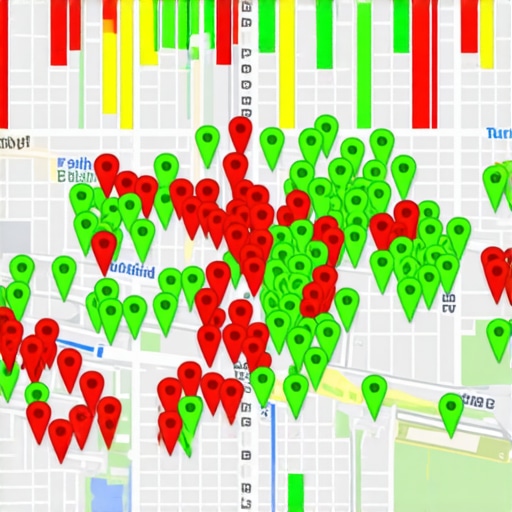
Can Google Actually Sense if You are Faking Your Location?
The short answer is yes. Many businesses try to use virtual offices or P.O. boxes to expand their reach, but the algorithm is wise to this. According to the Whitespark 2023 Local Search Ranking Factors study, physical proximity remains a top-tier signal, but it is increasingly balanced by ‘behavioral signals.’ This means if people are clicking your listing but then immediately bouncing because you aren’t actually in their neighborhood, your rank will tank regardless of what your optimization checklist says. You have to be honest about where you are. If you find why your service areas aren’t triggering the local map pack, it’s often because Google has detected a lack of real-world activity in those zones.
Why Your Checklist Needs a Human Touch
We get so caught up in the technical side that we forget these listings are for people. A common mistake is treating your profile like a static document. The reality is that why your google listing checklist needs a weekly audit is because the local landscape changes daily. Competitors move, new reviews drop, and Google updates its categories. Have you ever fallen into this trap of thinking your setup was ‘finished’ only to see your calls drop off a cliff? Let me know in the comments. Real growth comes from nuance, not just checking boxes.Once you get past the initial setup, the real challenge begins: not sliding back into obscurity. I’ve seen businesses hit the top three, get complacent, and disappear within a month because they thought the work was done. To stay visible, you need to transition from ‘fixing’ to ‘scaling.’ I personally rely on grid tracking tools like Local Falcon or BrightLocal’s heatmaps. Why? Because a single ranking number is a lie. You might be #1 at your front door but #15 two blocks away. Visualizing this helps you see the small discrepancy in your map health that keeps you sidelined in the high-traffic zones of your city.
How do I keep my profile fresh without burning out?
The secret is a recurring rhythm. I follow a strict 7 google listing checklist items you need to update weekly. This includes checking for ‘suggested edits’ from the public. Did you know a competitor can suggest your business is ‘closed’ or change your phone number, and if you don’t catch it, Google might just auto-accept it? That is why monitoring map health isn’t a one-time project; it’s a defensive habit. If you aren’t looking at your dashboard at least once a week, you’re leaving your digital storefront unlocked. 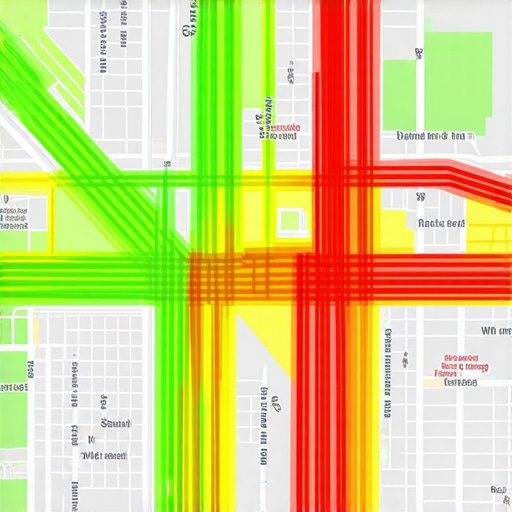
Stop Guessing and Start Using Grid Tracking
When I finally started using local heatmaps, I realized my ‘authority’ was leaking toward the east side of town where I had zero reviews from local residents. To combat this, I started using geo-targeted signals that actually influence map rank, like uploading photos tagged to those specific neighborhoods. It sounds tedious, but it’s the difference between a stagnant profile and one that grows. Expert Joy Hawkins from Sterling Sky often emphasizes that Google is increasingly sensitive to ‘real-world’ signals, meaning your digital data must match the physical movements and locations of your customers.
The Future of Maps is More Visual Than Ever
Looking ahead, I predict Google will move even further away from text-based relevance and closer to visual verification. We are already seeing the algorithm ‘read’ the contents of your photos to verify if you actually sell what you claim. This means your map optimization guide needs to prioritize high-resolution, context-rich imagery over stock photos. If you want to stop local ranking decay using this simple maps seo checklist, start by auditing your images. Are they actually showing your team in the field, or do they look like every other generic business in the directory? My advanced tip for you today: go into your ‘Insights’ and find the search terms that are driving ‘discovery’ views, then create a Google Post specifically answering a question related to that term. It’s a 5-minute move that signals to Google you are active and relevant right now.
Three Harsh Truths My Map Health Audit Taught Me
Over the years, I have realized that Google acts more like a “Trust Engine” than a “Search Engine.” If your listing data fluctuates, even by a single digit in a phone number, the algorithm interprets it as a signal of instability. I learned this the hard way when I ignored the map health metric most agencies completely ignore during audits, assuming my backlinks would carry the load. They didn’t. Activity also consistently beats volume; I would rather have one new customer photo uploaded every week than a hundred five-star reviews from three years ago. Finally, proximity is a hurdle, not a wall. You can outrank closer competitors if your behavioral signals—like clicks for directions and phone calls—are stronger, which is why how we found the map health blind spots killing our conversions became such a pivotal moment for my growth.
Where I Go to Stay Ahead of the Algorithm
I don’t guess when it comes to local search; I rely on data and communities that test these theories in the wild. I highly recommend the Sterling Sky Blog, as Joy Hawkins and her team provide the most rigorous testing of Google’s features available today. For visualizing exactly how my business appears across different streets, I swear by Local Falcon heatmaps. It reveals how to fix the map health problems you didnt know you had by showing exactly where your authority drops off. Lastly, I never skip the Whitespark Local Search Ranking Factors survey, which is the industry’s best compass for where the algorithm is heading next year.
It Is Time to Own Your Neighborhood
The digital landscape is crowded and noisy, but your local map presence is where the most qualified, ready-to-buy leads are hiding. By consistently applying your maps seo checklist and staying vigilant about monitoring map health, you are building a defensive moat around your business. Don’t let a stagnant profile or a few missing data points be the reason a neighbor chooses your competitor. Have you ever noticed your rankings drop after changing something small like your business hours? Let me know in the comments below.