How to Clean Up Duplicate Listings Without Getting Your Account Suspended
It was 3:00 AM, and I was staring at my laptop screen with a pit in my stomach. I’d just received that dreaded email from Google: ‘Your business profile has been suspended.’ All because I thought I was being ‘efficient’ by manually merging two listings for a client’s plumbing shop. I thought I was cleaning up the mess, but instead, I accidentally nuked their entire digital presence during their busiest month of the year. It was a visceral, painful lesson in the dangers of the duplicate graveyard. If you’ve been losing sleep over multiple pins showing up for your business, I’m here to tell you that there is a way out—and it doesn’t involve a death sentence for your account. Today, we’re going to walk through the exact process to reclaim your [image_placeholder] [map health](https://mapsoptimizationchecklist.com/monitoring-map-health-key-checkpoints-for-ongoing-optimization) and purge those pesky clones safely.
Stop Treating Duplicates Like Simple Typos
Most people think a duplicate listing is just a minor annoyance, like a misspelled word on a menu. In reality, they are more like digital termites. They split your authority, confuse the algorithm, and ultimately, [why your business isn’t in the top 3 map spots](https://mapsoptimizationchecklist.com/the-brutal-truth-about-why-your-business-isnt-in-the-top-3-map-spots) often comes down to this exact fragmentation. When I first started out, I made the amateur move of just hitting the ‘suggest an edit’ button on every duplicate I found. I didn’t have a proper [maps seo checklist](https://mapsoptimizationchecklist.com/the-maps-seo-checklist-tactics-that-actually-move-the-needle), and Google’s AI saw my frantic activity as suspicious behavior. Within forty-eight hours, the main profile—the one with all the hard-earned reviews—was gone. Have you ever tried to delete a duplicate only to find a second one popped up like a game of digital Whac-A-Mole?
Will Merging These Actually Kill My Business?
That is the fear that keeps most shop owners from touching their profiles at all. You are worried that one wrong click will trigger a bot to flag you for fraud. It’s a valid concern! According to data from BrightLocal, 68% of consumers say they would stop using a local business if they found incorrect information online, yet the risk of suspension makes many owners stay invisible rather than risk a fix. But staying paralyzed is worse. You need a surgical approach. We’re going to use a [map optimization guide](https://mapsoptimizationchecklist.com/mastering-map-optimization-essential-seo-checklist-for-local-growth) that prioritizes safety over speed.
The Mistake That Nearly Cost Me Everything
Early in my career, I ignored the [google listing checklist](https://mapsoptimizationchecklist.com/why-a-standard-google-listing-checklist-isnt-enough-to-win-the-map-pack) basics because I thought I knew better. I tried to ‘force’ a merge by changing the addresses of three different duplicates to match the primary one simultaneously. It looked like a coordinated attack to the algorithm. If you want to avoid my fate, you have to understand that Google trusts data consistency over your manual edits. Before you touch a single ‘Delete’ button, you must verify which profile holds the most ‘authority’ in the eyes of the search engine. If you don’t, you might be [dying-visibility-4-map-health-fixes-for-2026-success](https://mapsoptimizationchecklist.com/dying-visibility-4-map-health-fixes-for-2026-success-2) without even knowing it. Let’s dig into how we identify the ‘alpha’ listing so we can move forward without looking like a spammer.
Spot the Master Profile Before You Click Delete
Before you go swinging a digital axe, you have to know which profile is the ‘Alpha.’ This isn’t always the one with the most reviews. Sometimes, the listing with fewer reviews has the deeper ‘roots’ in Google’s local index—meaning it’s the one connected to your oldest citations. If you [stop guessing your map health 4 specific data points to check tonight](https://mapsoptimizationchecklist.com/stop-guessing-your-map-health-4-specific-data-points-to-check-tonight), you’ll often find that Google has already chosen a winner, and fighting that choice is what leads to the ‘Suspended’ badge of shame. I once worked with an HVAC company that had four separate pins. I thought I was a genius by trying to delete the three with zero reviews. Instead, the algorithm panicked because those ’empty’ listings were actually tied to their original business license. The whole thing collapsed because I didn’t verify the CID numbers first. 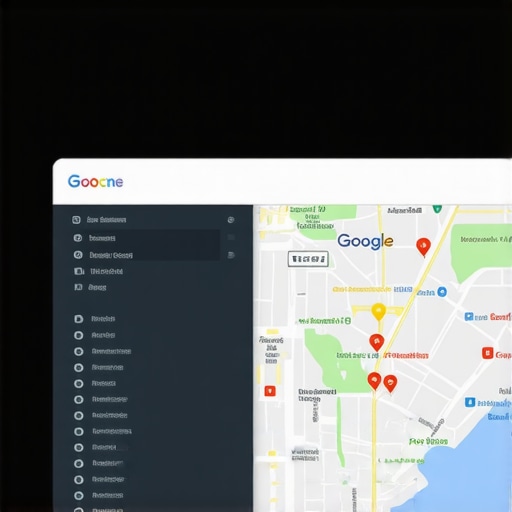
How to Dig Through Data to Find the Alpha
To avoid a visibility blackout, check the backend data. Look for the profile that shows up in the ‘Suggest an Edit’ field of the other listings. This is often the signal that Google sees it as the primary entity. If you ignore this, you’re essentially committing [the 3 map health errors sabotaging your local traffic right now](https://mapsoptimizationchecklist.com/the-3-map-health-errors-sabotaging-your-local-traffic-right-now). You want to pick the listing that has the most consistent NAP (Name, Address, Phone) data across the web. Once you identify it, treat it like glass. Don’t change anything on the Alpha while you are dealing with the clones.
Kill the Clones Without Getting Flagged
The biggest mistake I see is business owners trying to do everything at once. They find three duplicates and report them all in five minutes. To a bot, that looks like a competitor attack. You need to use [the maps seo checklist tactics that actually move the needle](https://mapsoptimizationchecklist.com/the-maps-seo-checklist-tactics-that-actually-move-the-needle) and space out your actions. Think of it like a surgical procedure; you don’t perform three heart transplants in one afternoon. I remember a specific client—a local bakery—where we found a duplicate that had been active for three years. Instead of reporting it, we first updated the secondary listing to match the primary’s phone number, waited a week for the ‘handshake’ between the data points, and then requested the merge. It was slow, but it worked without a single warning from Google.
Why You Should Never Use the Suggest an Edit Button First
If you own both profiles, don’t use the public-facing ‘Suggest an edit’ button. That is a low-authority move. Instead, use the ‘Contact Support’ option from within your dashboard and provide the specific Store IDs or CIDs for both listings. This tells Google you are the rightful owner, not a random passerby. By [monitoring map health key checkpoints for ongoing optimization](https://mapsoptimizationchecklist.com/monitoring-map-health-key-checkpoints-for-ongoing-optimization), you can track if the merge is actually transferring the review juice or just deleting the old data. If you see your review count drop after a merge, you’ve likely missed one of the [7 maps seo checklist items to save your profile from ghosting](https://mapsoptimizationchecklist.com/7-maps-seo-checklist-items-to-save-your-profile-from-ghosting). Always document your review count and specific reviewer names before you start, just in case you have to manually plead your case to a human support agent later.
The biggest lie you’ve likely been told is that more is always better when it comes to citations. In the early days, you could blast your business info across 200 random directories and watch your ranking climb. Today, that’s a recipe for a manual review. If you are following a google listing checklist that prioritizes volume over relevance, you’re essentially inviting digital termites into your foundation. In my experience, it’s not the number of mentions that matters—it’s the authority of the source and the lack of conflicting data. When you have two listings with slightly different phone numbers, Google doesn’t just ‘pick one.’ It lowers the confidence score of both, which is exactly why your current google listing checklist is making you invisible to local customers.
The Proximity Trap Most Experts Ignore
Here is a contrarian take: stop trying to rank in cities where you don’t have a physical presence. I see business owners trying to ‘game’ the system by using virtual offices or friend’s houses to create new pins. This is the fastest way to get your entire account blacklisted in 2024. Google’s AI is now sophisticated enough to cross-reference your business license, utility bills, and even the Wi-Fi signals coming from your supposed office. If you’re trying to force a ranking, you’re ignoring the fact that is your map optimization guide ready for 2026 local ai requires genuine local signals, not just keyword-stuffed titles.
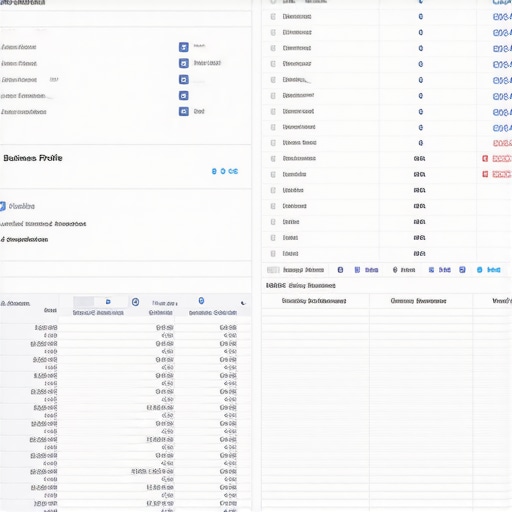
The ‘Oops’ factor often comes when you try to fix a duplicate by simply changing the address. If you move a ‘bad’ listing’s pin to your ‘good’ listing’s location, you are effectively creating a collision. According to studies by Sterling Sky, service area overlaps and shared addresses are primary triggers for ‘suggested’ merges that you can’t control. If you don’t use a map optimization guide that accounts for these technical collisions, you’ll end up in a suspension loop that takes months to escape. Have you ever fallen into this trap? Let me know in the comments, because I’ve spent years digging businesses out of these exact holes.
Why Do My Rankings Tank Right After I Clean Up the Data?
It’s the question that drives every shop owner crazy. You spend weeks merging duplicates and cleaning up NAP (Name, Address, Phone) data, only to see your map position drop. This happens because Google is recalculating your ‘authority.’ For a short window, the algorithm is re-evaluating the strength of your primary profile now that the ‘extra’ signals from the duplicates are gone. This is why monitoring map health key checkpoints for ongoing optimization is vital during the 30 days following a merge. You need to offset the temporary dip with high-quality, geo-targeted engagement. If you panic and start changing more settings, you’ll look unstable to the bot.
Instead of frantic changes, look for the 4 missing pieces in most google listing checklists: user-generated photos, specific service-area mentions in reviews, and consistent GMB posts. These behavioral signals prove to Google that even though the ‘clones’ are gone, the real business is more active than ever. Don’t just check boxes; you need to prove life. If you’re still struggling to see movement, it might be time to look at the maps seo checklist tactics that actually move the needle rather than just repeating the same surface-level edits.
Once the dust settles from your duplicate purge, you might feel like the battle is won. But in my experience, that’s exactly when most business owners lose their grip. Google’s local algorithm is a living, breathing thing, and monitoring map health key checkpoints for ongoing optimization is the only way to ensure your profile doesn’t slip back into the shadows. I’ve seen rankings vanish overnight because a competitor made a malicious edit or a third-party directory pushed old, outdated data back into the ecosystem. You need a defensive strategy that’s just as aggressive as your growth plan.
Stop Flying Blind With My Favorite Local Tools
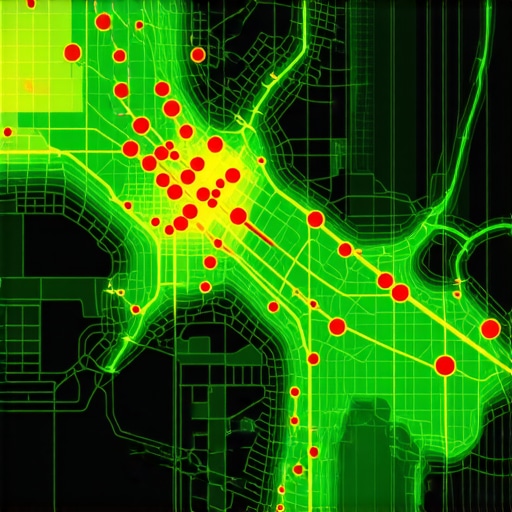
I don’t believe in checking my map position by manually searching from my office desk. That’s a vanity move that tells you nothing about how a customer three miles away sees you. Personally, I rely on grid-tracking software like LocalFalcon or BrightLocal. These tools show you a heat map of your rankings across your entire service area. If I see a ‘red spot’ developing in a specific neighborhood, I know exactly where my your complete maps seo checklist for enhanced visibility needs a more localized push. I use these tools because they provide a reality check that standard reporting misses. If you aren’t seeing your ranking geographically, you’re likely falling for why your local seo software is feeding you useless ranking data.
How Can I Keep My Profile Dominating Month After Month?
The secret isn’t doing a massive overhaul every six months; it’s doing the ‘boring’ tasks every single week. I follow a strict routine: audit the NAP data on your top 10 citations, respond to every review (even the ones without text), and post at least one high-resolution, geo-tagged photo. This consistent activity signals to Google that the business is active and trustworthy. This is why this 7 point maps seo checklist stops your ranking from dropping—it creates a shield of ‘freshness’ around your profile. As Joy Hawkins from Sterling Sky often points out in her technical deep dives, Google’s trust in a listing is heavily influenced by how recently a human actually interacted with the data. If you go silent for a month, you are essentially telling the algorithm that you might be closed.
Don’t Let the 2026 AI Filter Catch You Sleeping
The future of local search isn’t just about keywords; it’s about ‘entity’ recognition. We are moving toward a world where AI agents will decide which plumber or lawyer to recommend based on the sentiment and context of your entire digital footprint. This is where is your map optimization guide ready for 2026 local ai becomes your most important asset. You need to start including 5 google listing checklist tasks to beat 2026 ai filters, such as ensuring your service descriptions match the natural language used in your customer reviews. AI doesn’t just read your business name; it reads your reputation. To stay ahead, stop obsessing over raw traffic numbers and start looking at how to measure local seo results without getting lost in vanity metrics like driving direction requests and phone call intent. My advanced tip for you today? Go to your dashboard right now, find your CID number, and save it in a safe place. If your profile ever disappears again, that number is your golden ticket to recovery. Don’t wait for a crisis to start acting like a pro.
3 Mistakes That Nearly Killed My Local SEO Career
Reflecting on that 3:00 AM panic, I realize that most map visibility issues stem from impatience. The biggest lesson I’ve learned is that Google values history over quick fixes. If you try to force a merge without establishing a data trail first, you’re asking for a suspension. I once thought I could ‘outsmart’ the bot by submitting ten edits in a row; instead, I learned that a slow, methodical approach—waiting a full week between major changes—is the only way to maintain long-term map health. Another lightbulb moment? Reviews aren’t just for social proof; they are geographical anchors. If you aren’t using 7 maps seo checklist items to save your profile from ghosting, you’re missing out on the small engagement signals that tell the AI your business is alive and well in its specific neighborhood.
#IMAGE_PLACE_HOLDER#
What I Check Every Monday Morning
To keep my clients’ pins from sliding off the grid, I rely on a small but mighty toolkit. I don’t just hope things stay the same; I verify. I always start with a deep dive into mastering map optimization essential SEO checklist for local growth to ensure no new ‘suggested edits’ from the public have compromised our primary listing. For tracking, I swear by LocalFalcon for its visual grid reports—it’s the only way to see if a duplicate in a neighboring town is siphoning off your traffic. I also recommend keeping a simple spreadsheet of your CID numbers and primary NAP data. It sounds basic, but in a world of AI-driven filters, having a clean ‘source of truth’ is your best defense against unexpected ranking drops.
The Future of Your Digital Presence Starts Now
The cleanup of your duplicate listings is more than just a housekeeping task; it’s about claiming your territory in a crowded digital landscape. As we move closer to an AI-first search environment, the clarity of your data will determine whether you’re recommended or ignored. By consistently monitoring map health key checkpoints for ongoing optimization, you are building a resilient profile that can withstand algorithm updates and competitor attacks. Don’t let the fear of a suspension paralyze you. Use a verified is your map optimization guide ready for 2026 local AI and take control of how the world sees your shop. Your business deserves to be found by the people who need it most. Have you ever struggled with a ‘ghost’ listing that keeps reappearing no matter how many times you report it? Let me know in the comments below—I’d love to help you troubleshoot your specific situation.