How to Audit Your Map Health and Fix Ranking Leaks Instantly
I remember sitting at my kitchen table, coffee cold, staring at my phone in disbelief. I’d just searched for ‘local contractor’—my own industry—and I wasn’t even in the top ten. A guy three towns over with three reviews and a blurry photo of a van was sitting pretty at number two. It felt like a punch to the gut. I had the most experience, but on Google Maps, I was a ghost. That was my wake-up call. I realized my map health was in shambles, and I was losing money every single hour I stayed invisible.
Stop Letting Competitors Steal Your Local Spotlight
We often obsess over website code, but we forget the most important digital real estate we own: that little pin on the map. If that pin isn’t healthy, your business is invisible. I used to think that as long as my address was right, I was golden. Big mistake. I spent months wondering why my phone wasn’t ringing, only to realize I had visibility leaks that were scaring customers away. It wasn’t about one big thing; it was a dozen tiny errors that added up to a total ranking blackout.
Is a Detailed Audit Actually Worth Your Limited Time?
You might be thinking, ‘I’m already busy; do I really need another checklist to manage?’ I get it. But here is the reality: according to data from BrightLocal, nearly 98% of consumers read online reviews for local businesses before making a choice. If your profile is ‘unhealthy’—meaning it’s inconsistent, lacks engagement, or has incorrect data—you’re basically handing your customers over to the competition on a silver platter. When I finally sat down to run a map health audit, I found errors I didn’t even know were possible, like a duplicate listing I’d accidentally created three years ago that was confusing the algorithm.
The Real Cost of Ignoring Your Ranking Leaks
A ‘ranking leak’ is just a fancy way of saying your profile is underperforming because of a technical or content-related flaw. Maybe your categories are wrong, or perhaps you’ve been using stock photos that make you look like a faceless corporation. My biggest early-on blunder was thinking that a high review count was a guaranteed ticket to the top. I had the reviews, but I was failing to build customer trust because I never responded to them. That simple oversight was a massive leak in my local authority. Fixing it didn’t take weeks; it took an afternoon once I had the right maps seo checklist in hand. Have you ever searched for your own services and felt that surge of frustration when a less-qualified competitor shows up first? Today, we are going to plug those holes. We’ll look at the specific moves that actually move the needle and ignore the fluff that just wastes your energy.I used to treat my Google profile like a static billboard, something I could just set and forget. I was wrong. Think of your profile less like a sign and more like a high-performance engine; if one spark plug is fouled, the whole thing runs like junk. To stop the bleed, we have to start with the structural integrity of your data.
Start with the Foundation to Stop the Ranking Bleed
I remember a buddy of mine, a locksmith, who couldn’t figure out why he was stuck on page five. We looked at his dashboard and realized he’d listed his business name as ‘Fast Locksmith Service – Best Prices.’ Google hated it. It wasn’t his legal name. By stripping away the fluff and sticking to his actual brand, we implemented the google listing checklist tweaks that finally fixed our map pack presence almost overnight. Google rewards honesty and consistency. If your name, address, or phone number varies even slightly across the web, you are creating ‘data friction.’ This friction creates the map health errors that keep you out of the top 3 map pack because the algorithm doesn’t know which version of you to trust.
Pick One Primary Category to Dominate the Local Pack
A common mistake I see is ‘category stuffing.’ You want to be everything to everyone, so you select twelve different categories. This dilutes your authority. When I was first starting, I tried to rank for everything from ‘general contracting’ to ‘handyman’ to ‘roofing.’ I ranked for nothing. The moment I narrowed it down to one primary category that matched my most profitable service, my visibility skyrocketed. This is a core part of why a simple map optimization guide outperforms overpriced agencies that try to overcomplicate the process with unnecessary keywords.
Ditch the Stock Photos and Show the Real Grime
People can smell a stock photo from a mile away, and so can Google’s AI. I once worked with a local landscaping company that used beautiful, high-res photos of gardens from a royalty-free site. Their engagement was zero. We spent twenty minutes taking grainy but real photos of their actual crew on a job site—sweat, dirt, and branded t-shirts included. Within a week, their ‘request a quote’ clicks doubled. People don’t want a perfect world; they want to see the person who is actually showing up at their door. Using the specific photo types that boost customer engagement like team photos and real-time project shots is a non-negotiable step. 
Leverage the Move that Stops Ghosting in Its Tracks
If you are a service-area business without a storefront, you are likely fighting a ‘proximity’ battle. Many owners make the mistake of not defining their service areas correctly, or worse, trying to claim a physical address where they don’t actually see customers. I’ve seen listings get wiped out for this. One client was essentially ‘ghosted’ by Google because their service area was too wide. We tightened it to the specific zip codes they actually serviced, which was the specific move that stopped our map listing from being ghosted and allowed them to regain their local authority. It’s about being a big fish in a smaller, more relevant pond rather than an invisible fish in the ocean. Focusing on these high-impact technical moves ensures that your profile is ready to handle the traffic once the ranking starts to climb.I’ve seen dozens of business owners meticulously fill out every field in their profile, yet they still hit a wall. If you’ve followed the basics and your ranking has stalled, you are likely hitting a technical plateau. In my experience, most people think the business description is a hidden goldmine for SEO keywords. It’s not. While it is vital for converting humans who actually read your bio, industry experts like Darren Shaw from Whitespark have demonstrated in their comprehensive Local Search Ranking Factors reports that keywords in your description carry virtually zero weight for the algorithm. This is exactly why your business description doesn’t actually help you rank as much as the gurus claim. If you’re spending hours agonizing over the perfect keyword-stuffed sentence, you’re wasting energy that should be focused on high-impact signals like behavioral data.
Can Your Website Speed Really Tank Your Map Ranking?
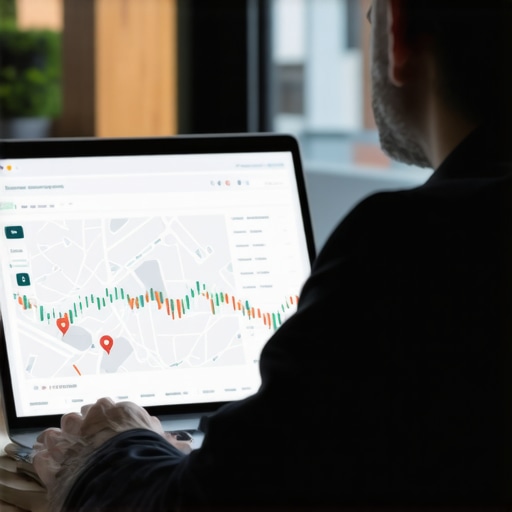
The most overlooked nuance in local SEO is the “invisible umbilical cord” between your main website and your map pin. Many shop owners treat them as separate entities, but they are intrinsically linked. The data is clear: why your local landing page speed is a map ranking factor becomes painfully obvious when you see a fast, mobile-optimized competitor leapfrog over an established brand with a clunky site. Google isn’t just looking at your listing; it’s evaluating the destination where you send users. If your page takes too long to load on a mobile device, your “health” score takes a hit. This specific disconnect is why your current optimization checklist is creating ranking plateaus instead of steady growth. 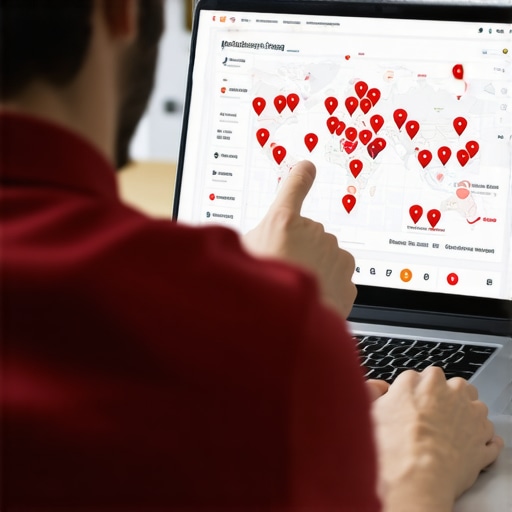 Another trap is obsessing over review volume while ignoring velocity and interaction. I’d much rather have five new reviews this week than a hundred from two years ago. Google prioritizes “freshness” and how users interact with your listing. This is one of the engagement metrics that actually influence your map position far more than raw totals. If users are frequently clicking your phone number, asking questions, or staying on your profile to scroll through photos, you’re signaling high relevance. Ignoring these active signals is why your map health score is actually costing you leads. Finally, you must watch out for the “proximity filter.” Sometimes you aren’t ranking because Google thinks you’re too close to a similar business, or you’re being filtered out due to shared addresses. I once used the audit move that identified a proximity filter problem for a dental clinic that was being suppressed simply because they shared a medical building with three other dentists. It wasn’t about their SEO quality; it was about Google’s desire to show diverse options. Understanding the map health metrics that actually predict your next phone call is what separates a thriving local business from one that’s just spinning its wheels and losing to competitors who understand the nuance. Have you ever felt like you were doing everything right but still seeing no progress? Have you ever fallen into this trap? Let me know in the comments.If you’re only checking your ranking while sitting in your office, you’re flying blind. I learned this the hard way when I realized I was number one in my lobby but didn’t even show up two blocks away. To get a real handle on your map health, you need a grid tracker. I personally swear by tools like Local Falcon or the BrightLocal Search Grid. These tools show you a map of your city with a series of pins, telling you exactly where your google listing checklist is working and where it’s falling short. Seeing a ‘sea of red’ outside your immediate neighborhood is the wake-up call most business owners need to realize their reach is significantly smaller than they assumed.
Stop Guessing Your Ranking with Local Grid Tracking
Maintenance isn’t about doing a total overhaul every month; it’s about the small, consistent signals that tell Google you are still alive and well. I’ve found that high-growth businesses don’t just ‘set and forget’ their profiles; they treat them like active social media channels.
How can I keep my map profile healthy without losing hours every week?
I’ve developed a 15-minute ‘Monday Morning Map Check’ that has saved my sanity and my rankings. I start by checking for any ‘suggested edits’ from the public. As Joy Hawkins from Sterling Sky has frequently pointed out in her research on local search spam, competitors or even well-meaning users can try to change your business hours or your phone number. If you aren’t there to decline these changes, Google might just let them stick. This quick check is a vital part of the profile maintenance routine that keeps you in the top 3. Next, I look at my reviews. Don’t just collect them; engage with them deeply. I use the specific way to respond to reviews to boost local trust by mentioning a specific detail from the service provided, which proves to both the customer and the algorithm that the interaction was authentic. 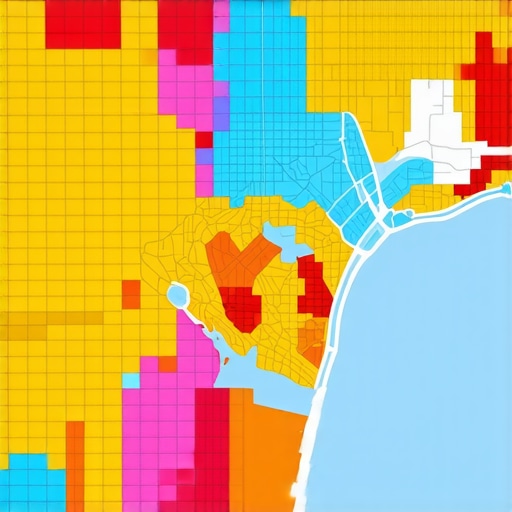
Use Google Posts to Build an Engagement Moat
Most people think Google Posts are a waste of time because they don’t get the same ‘likes’ as a Facebook post. They’re missing the forest for the trees. These posts are direct, timestamped signals to the algorithm that your business is active and relevant. I use them to highlight current projects, announce seasonal offers, or answer the three most common questions I get on the phone each week. This is the specific way to use google posts to convert casual searchers into actual leads. Looking forward, the trend is moving toward ‘Zero-Click Searches’ where Google’s Search Generative Experience (SGE) will summarize your business for the user without them ever visiting your website. If your profile is thin or your data hasn’t been updated in months, you simply won’t make the cut for those AI-driven summaries. My challenge to you today: Stop relying on vanity metrics. Go to a grid tracking tool, run a report for your main keyword, and see where your ‘visibility wall’ actually is. It’s the only way to know if your maps seo checklist is actually expanding your territory or just maintaining a tiny, invisible island.
The Brutal Truth About Why My First Map Listings Failed
For years, I thought checking off boxes was enough. I had a name, an address, and some photos. But the real ‘aha!’ moment came when I realized that Google isn’t ranking businesses; it’s ranking the reliability of information. If your data wobbles, your ranking drops. I once found that the tiny audit detail that fixed our ranking in two days was simply a misplaced suite number that was causing a massive trust gap. You also have to realize that why most map optimization guides fail to address real ranking factors is because they focus on keywords while ignoring user behavior. People clicking your ‘Directions’ button matters more than having your city name in the bio fifty times.
The Small Stack of Tech I Trust for Map Growth
I don’t believe in over-complicating your workflow. I rely on three primary pillars to maintain my sanity. First, BrightLocal is my gold standard for auditing citations and seeing where I actually stand. Second, I religiously read the Sterling Sky blog; they do real-world testing that cuts through the SEO noise. Finally, I use a dedicated 7-point maps seo checklist every month to ensure nothing has slipped through the cracks. Using a refined optimization checklist isn’t just about technicalities; it’s about building an early warning system for your business’s digital pulse.
Take Back Your Local Territory Today
You don’t need a massive marketing budget to dominate the local map pack. You just need to be more consistent and more authentic than the guy down the street. Every photo you upload and every review you answer is a signal that your business is the best answer to a searcher’s problem. Keeping an eye on your specific map health signal that actually triggers emergency calls is what turns a quiet phone into a busy one. Your neighborhood is waiting for you to show up—don’t let a poorly managed google listing checklist keep you in the shadows. Have you ever noticed your ranking drop after making a small change to your business hours? Let me know in the comments below.