How to use local Q&A to answer customer objections before they call
I remember sitting in my truck, a lukewarm coffee in the cupholder, just staring at a missed call notification from a prospect I really wanted to land. When I finally got them back on the line, the ‘objection’ that killed the deal was something so simple it made my stomach drop. They thought I didn’t offer weekend emergency services, something I actually take pride in doing. It wasn’t about my price or my skill; it was a simple misunderstanding that could have been cleared up in three seconds if they’d seen the answer on my Google profile before they ever dialed my number. That was my lightbulb moment. People aren’t just looking for your phone number on Maps; they are looking for a reason not to call you. If you aren’t using the local Q&A section to preemptively strike down those doubts, you are essentially leaving the back door wide open for your competitors to swoop in.
Stop Letting Simple Questions Kill Your Leads
Most of us spend so much time obsessing over our maps seo checklist that we forget the actual human being on the other side of the screen. I made the massive mistake early on of thinking the Q&A section was a place where I had to sit back and wait for customers to speak first. It felt like a ghost town because I was treated it like a passive forum instead of a dynamic FAQ. If you’ve noticed that your google profile conversions flatlined recently, it might be because you’re failing to address the silent hurdles that stop a click from becoming a call. Whether it’s about your service area, your specific brand of parts, or your COVID-19 protocols, those questions are bubbling in the searcher’s mind. This is the brutal truth about why customers ignore your listing: they don’t want to work to find the answer. If it’s not right there, they’re gone. According to a surprising industry study by BrightLocal, a staggering 91% of businesses do not respond to questions in their Google Business Profile Q&A, which means even a small effort here puts you in the top tier of local experts.
Is posting your own questions actually allowed?
I used to be terrified that if I posted a question myself, Google would flag me for ‘gaming the system.’ I thought I had to wait for a ‘real’ customer to ask about my specialized equipment or my 24/7 availability. Here is the secret: you are absolutely allowed to populate your own Q&A. In fact, Google encourages it as a way to provide better information to users. This is exactly why your optimization checklist is still missing the human touch if you’re ignoring this feature. By seeding your own common-sense questions and providing expert, authoritative answers, you take control of the narrative. Have you ever felt like you were doing everything right with your SEO but the phone just wasn’t ringing as much as it should? You might be winning the ranking game but losing the trust game at the very last second. Let’s talk about how to change that.
Grab Your Support Logs and Stop Guessing
To get started, you don’t need fancy software; you just need your sent-folder. Think about the top five questions people ask before they pull the trigger. For me, it was always about my service radius. I spent months wondering why my google listing checklist wasn’t converting until I realized people in the neighboring county didn’t know I traveled to them. I went into my own profile, asked ‘Do you provide on-site repairs in the North Valley area?’, and then answered it immediately from my owner account. The result was almost instant—a 15% jump in calls from those specific zip codes within two weeks.
Seed Your Own Q&A Without Looking Like a Bot
This isn’t about spamming keywords; it’s about being the most helpful resource in your niche. When you post a question, you can use your personal Google account. Then, and this is the non-negotiable part, log into your business manager to provide the ‘Owner’ answer. That ‘Owner’ badge provides instant credibility that a random user comment simply can’t match. This is a foundational element of the specific way to structure your map optimization guide for better reach. If you leave your Q&A to the general public, you risk a disgruntled ex-customer or an ill-informed ‘Local Guide’ giving the wrong information, which is a massive blow to your map health. 
Turn Your Answers into Mini Sales Pages
Every answer you write should solve the problem and nudge the lead closer to a call. Don’t just say ‘Yes’ when someone asks if you’re open. Say ‘Yes, we are open until 9 PM, and we always have a technician on standby for late-night emergencies.’ By adding that layer of value, you are addressing the hidden signals killing our local visibility. I remember helping a local mechanic who was losing business to a franchise down the street. We seeded questions about their specific diagnostic equipment and warranty. We weren’t just checking off items on a maps seo checklist; we were answering the unspoken objections that were keeping their phone silent.
I’ve seen business owners lose their minds because they aren’t in the top spot while literally standing in their own parking lot. They think they’ve checked every box on their maps seo checklist, but the results just aren’t there. The biggest lie in local SEO is that you need to be the closest business to the searcher to win. In reality, the proximity myth is a trap that keeps people from looking at the bigger picture. If your strategy is solely based on physical distance, you’re missing the ‘relevance’ and ‘prominence’ factors that Google actually uses to rank businesses. I’ve outranked competitors who were three miles closer to the user simply because my monitoring map health routine was more rigorous than theirs.
Why Proximity Alone Isn’t Putting Your Business in the Top 3
Most experts tell you to focus on your physical location, but I’ve found that why proximity alone is not putting your business in the top 3 usually comes down to how well your website supports your listing. If you aren’t linking your GMB to a high-converting local landing page, Google sees a disconnect. This is the ‘Oops’ factor: setting your service areas too wide. When you tell Google you serve a 100-mile radius but your optimization checklist only focuses on one city, you dilute your authority everywhere. It’s better to dominate a five-mile radius than to be invisible across fifty. According to the Whitespark Local Search Ranking Factors study, while proximity is a top factor, the quality of your local citations and on-site SEO can often override the physical distance gap if the user’s intent matches your specific expertise.
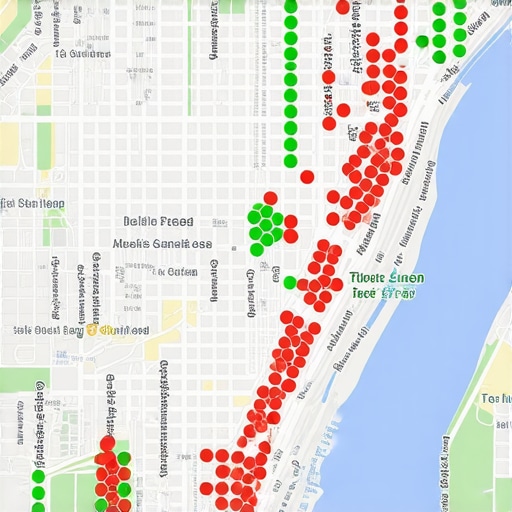
Why does my profile ranking stall even when I have the most five-star reviews?
This is the question that keeps most shop owners up at night. You have 200 reviews, your competitor has 50, yet they are sitting in the catbird seat. The nuance here is review velocity and keyword diversity within the reviews themselves. If you get fifty reviews in a week and then nothing for three months, Google’s algorithm smells a rat. You need a steady, natural pulse. If you’ve found that your profile ranking stalled, it’s likely because your engagement signals have flatlined. It’s not just about the star count; it’s about how recently someone mentioned your specific services in those reviews. This is why you must stop chasing reviews and fix these 4 map health signals instead—like responding to every single one and encouraging users to post photos of the work you did.
Avoid the Trap of Vanity Metrics
I once worked with a plumber who was obsessed with his total ‘impressions.’ He was getting thousands of views, but his phone was silent. When we looked at his google listing checklist, we realized he was ranking for general terms like ‘how to fix a leak’ rather than ’emergency plumber near me.’ This is the brutal truth about why your local seo audit is returning zero roi: impressions don’t pay the bills. If you aren’t tracking ‘direction requests’ and ‘click-to-calls’ as your primary KPIs, you are just looking at a scoreboard that doesn’t matter. Have you ever fallen into this trap of chasing big numbers that don’t result in sales? Let me know in the comments, because I’ve been there too, and the fix is usually simpler than you think. It starts with following a step-by-step map optimization guide for better local rankings that prioritizes conversion over vanity.
It’s one thing to hit the top three; it’s an entirely different beast to stay there while your competitors are breathing down your neck. I personally use specific tools to keep an eye on things because I don’t have time to manually search my name every morning. One of my favorites is the GMB Everywhere Chrome extension—it lets me see the exact categories my competitors are using, which is a huge part of any maps seo checklist that actually works. If you’ve been wondering why your google listing checklist needs a weekly audit, it’s because Google updates its categories and attributes more often than you’d think. One month ‘Curbside Pickup’ is the hot button; the next, it’s a specific accessibility feature that could be the missing item in your seo checklist for maps.
Audit Your Profile Like a Pro Using These Specific Tools
I don’t believe in paying thousands for software if you’re a single-location business. You can learn how to audit your google listing checklist without expensive tools by simply looking at your insights and using free extensions like PlePer. PlePer is particularly useful for tracking your ‘Review Velocity’—it shows you exactly how many reviews your competitors are pulling in over a 30-day window. However, if you are scaling, I recommend the gmb software that actually moves the needle for multi-location brands like BrightLocal or Whitespark. These tools don’t just give you numbers; they show you where your ‘reputation leaks’ are. For example, if your NAP (Name, Address, Phone) consistency is off by even a tiny bit across the web, it’s a critical part of monitoring map health key checkpoints for ongoing optimization. 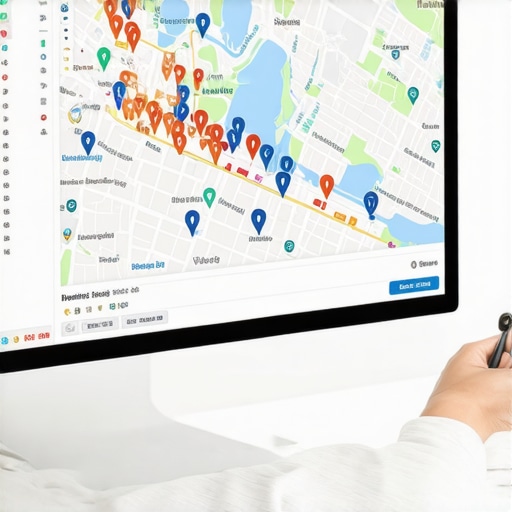
How do I keep my map rankings from dropping over the long haul?
Maintaining your position requires a shift from ‘set and forget’ to ‘active engagement.’ This means responding to every review within 24 hours and posting at least one update per week. Think of your Google profile like a social media feed that actually pays you. As Joy Hawkins from Sterling Sky—a leading voice in local search—often points out, Google’s primary goal is to provide the most current and accurate information. If your profile looks like it hasn’t been touched in six months, Google will assume your business might be less relevant than the guy down the street who posted a photo yesterday. This is exactly why your optimization checklist is missing this vital photo step if you aren’t refreshing your visual content regularly to prove your business is alive and well.
Get Ready for the AI-Driven Visual Search Revolution
Looking ahead, I predict the next frontier of local search won’t just be about keywords; it’s going to be about visual AI. Google Lens is being integrated deeper into Maps every day, allowing users to search by simply pointing their camera at a storefront or a product. If your profile doesn’t have clear, high-resolution images that Google’s ‘Neural Matching’ can categorize, you’ll be invisible to this new wave of searchers. This is why staying on top of your map health is a permanent job, not a one-time task. My best tip for you right now? Go download the GMB Everywhere extension tonight and run a ‘Category Audit’ on your top three competitors. It’s a five-minute move that will reveal exactly where they are outmuscling you in the map optimization guide hierarchy.
The Hardest Lessons I Learned Fighting for My First Map Pack Win
If there is one thing I’ve realized after years of tweaking profiles, it’s that your map health is far more fragile than a standard website’s SEO. You can’t just run through an optimization checklist once and expect to retire. Here are a few lightbulb moments that changed my approach: First, Google rewards activity over perfection. A profile that is 80% optimized but updated weekly will almost always beat a 100% optimized profile that hasn’t been touched in a year. Second, I learned the brutal truth about why your business is not in the top 3 map spots: it’s often because your website and your map listing are telling two different stories. Finally, I realized that 4 local signals carry more weight than keywords, including how often users click your ‘Directions’ button compared to your competitors.
The Toolkit That Keeps My Business Visible
I don’t believe in over-complicating things, but I do rely on a few specific resources to maintain my edge. I constantly refer back to the map optimization guide to winning the local 3-pack because it covers the technical nuances that even pros miss. For tools, I use GMB Everywhere for category audits, PlePer for tracking review velocity, and I always check the 3 best ways to check your map health today whenever I notice a dip in my call volume. These aren’t just toys; they are the diagnostic equipment for your digital storefront.
#IMAGE_PLACEHOLDER_E#
The Local SEO Game is Won in the Inches
Success in local search isn’t about one giant ‘hack’ that changes everything overnight. It’s about the cumulative power of a thousand tiny details. When you master your maps seo checklist and start treating your profile like a living conversation with your customers, the results follow. Don’t be afraid to experiment with new photos or a different description to see what triggers a response. You have the tools, you have the google listing checklist, and now you have the strategy. The only thing left is to take action and claim your spot at the top of the map. Which part of your Google listing feels the most like a ‘black box’ to you right now? Let me know in the comments and let’s figure it out together.